Leases
Leases
What is a Lease?
A lease is a critical security component in Digital Oilfield, acting as a grouping mechanism for wells. It restricts user access to only the wells contained within the leases they are assigned to.
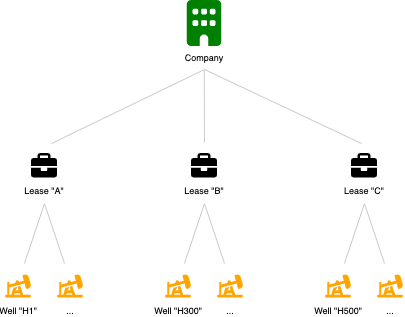
Leases serve as security groups and can include multiple wells. A single user may be part of multiple leases, enhancing flexibility in access control.
Create a Lease
Create a lease to group wells and assign user access:
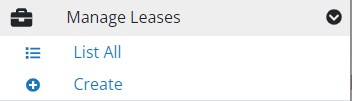
- Navigate to the Leases section using the main menu.
- Select “Create Lease”.
In the lease creation form, provide:
- Lease Name: A unique identifier for the lease.
- Users: Optionally, specify which users are part of this lease. Note that users with the Owner and Supervisor roles are automatically included in all leases and will not appear in the user selection list.
Edit a Lease
To update lease details:
- Select “List All” from the Manage Leases section in the navigation menu.
- Find the lease you wish to edit and click the gear icon (⚙️).
- Choose “Update Lease”.
Delete a Lease
To remove a lease:
- Go to “List All” under Manage Leases in the navigation menu.
- Click on the gear icon (⚙️) next to the desired lease.
- Select “Remove Lease”.
Related Articles
FAQ
Can I assign a lease to a user at a later date?
Yes, leases can be assigned or reassigned to users at any time through the user management form. This can be done during the creation of a new user or when updating an existing user’s details. In the Leases dropdown, simply select the leases you wish to assign.