
Skip to content
Sign Out

Release Notes

May 2024 Update

We’re excited to bring you a host of new features this month, including a brand new documentation site, an enhanced dashboard, and a completely redesigned mobile application. These updates are designed to improve your user experience and provide better access to the tools and information you need.

🚀 Features

New Documentation Site

Our new documentation site is live! It offers an improved layout and easier navigation to help you find the information you need quickly. Explore comprehensive guides, FAQs, and detailed explanations of all our features.

New Dashboard

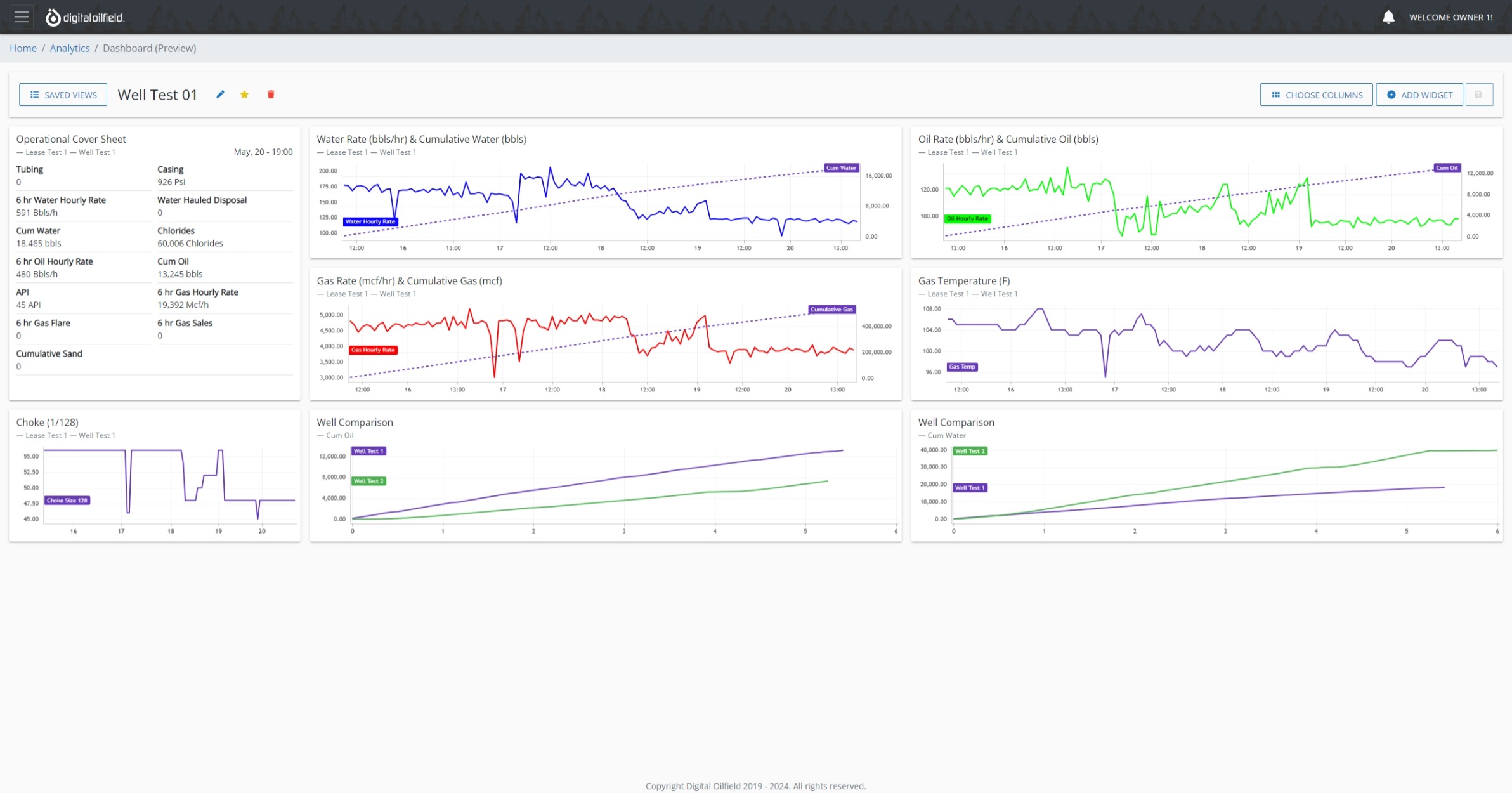
The updated dashboard provides a more intuitive and customizable user interface. Key features include:

  • Create Multiple Views: Design various dashboard layouts for different operational perspectives.
  • Select Default View: Choose a primary view that loads by default when accessing the dashboard.
  • Add, Edit, Resize, and Remove Widgets: Customize your dashboard with real-time data, reports, and visualizations. New Dashboard
New Mobile Application

Our mobile app charts for real-time data has been redesigned from the ground up to offer a better user experience with improved performance and new features:

  • Enhanced Usability: Simplified navigation and user-friendly interface.
  • Real-Time Updates: You can now receive notifications on-the-go.

Coming Soon

Templates for Dashboard Views

We are excited to announce that Templates for creating new dashboard views are coming soon! This feature will enhance your experience by providing pre-designed layouts and configurations, allowing you to quickly set up and customize your dashboards without starting from scratch.

Stay tuned for updates and further improvements to make your experience even more efficient and user-friendly.


Thank you for being a valued user. We hope these new features enhance your experience. For any questions or feedback, please contact our support team.
January 2024 Update

New Year, New Features! This month’s update is packed with exciting updates for Notifications. We are thrilled to announce Subscriptions. Now, users will only receive notifications of the leases to which they are subscribed.

🚀 Features

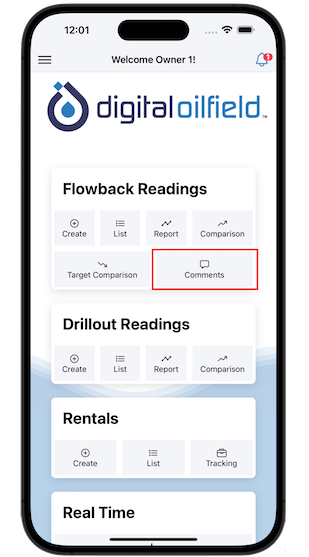
Well Comments

Users can now send comments at any time. Well Comments

With this feature, there is no need to wait until the top of the hour to add a comment. The comment will be saved locally first (offline mode); sync is required. Once the comment is synced, users can see the comments in the Reports section.

🔄 Updates

Notifications

A notification is a message the platform delivers when an alert is triggered.

Alerts

System alerts are events that have passed a pre-defined threshold.

AlertScopeDescription
Low/High Value AlertVariablesTriggered when a reading is created or edited with a variable value out of range
Lifecycle AlertWellsTriggered when a well has been flowing for a given time period (in days)
Inactivity Detection AlertWellsTriggered when a well become inactive for a given time period (in hours)
Comment AlertWellsTriggered when a new comment is created

Subscribe

To receive notifications, a user must subscribe to at least one lease.

Call to Action

  • Go to the Notifications panel to turn on the alerts you want to receive.
  • Remember to subscribe to at least one lease.

November 2023 Update

During the last few months, we have been working hard to bring our customers the best features when collaborating with each other, consuming, and analyzing data. We are also happy to announce the partnership with Digital Dashboards. This new real-time API implements state-of-the-art algorithms to refresh data every three seconds!

🚀 Features

New Real-Time API

New partnership with Digital Dashboards to analyze real-time data every three seconds! This new API is now available for our customers.

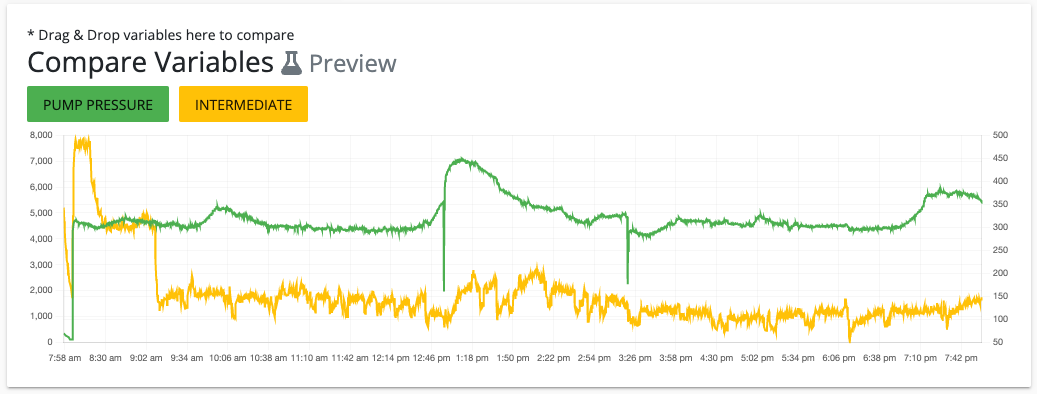
New Real-Time Analytics Capability

It is now possible to compare multiple real-time variables in one visualization by using drag & drop. Real-Time Analytics

New Cover Sheet Delivery Capability

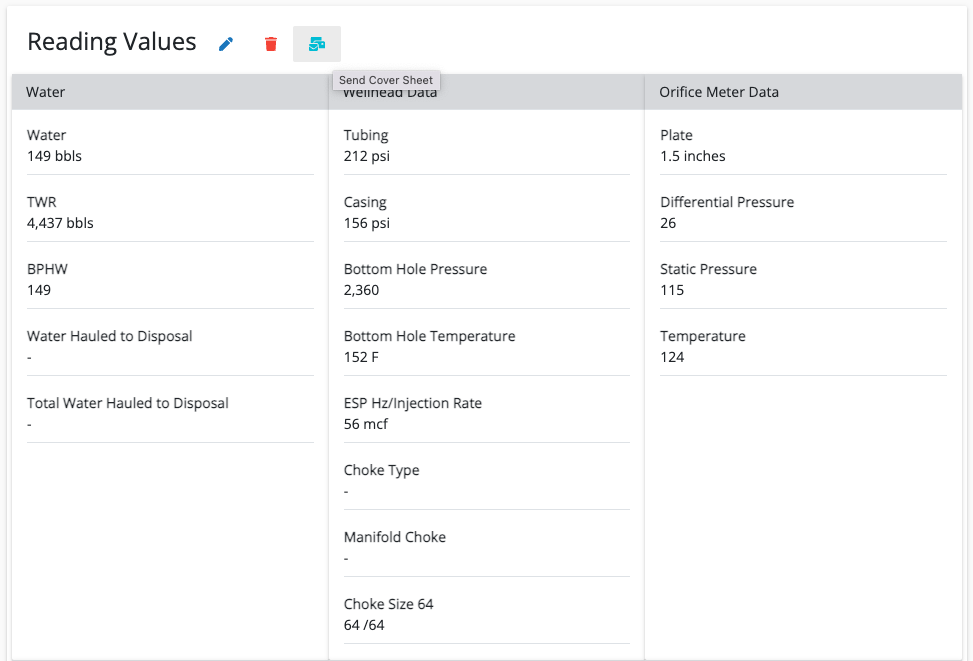
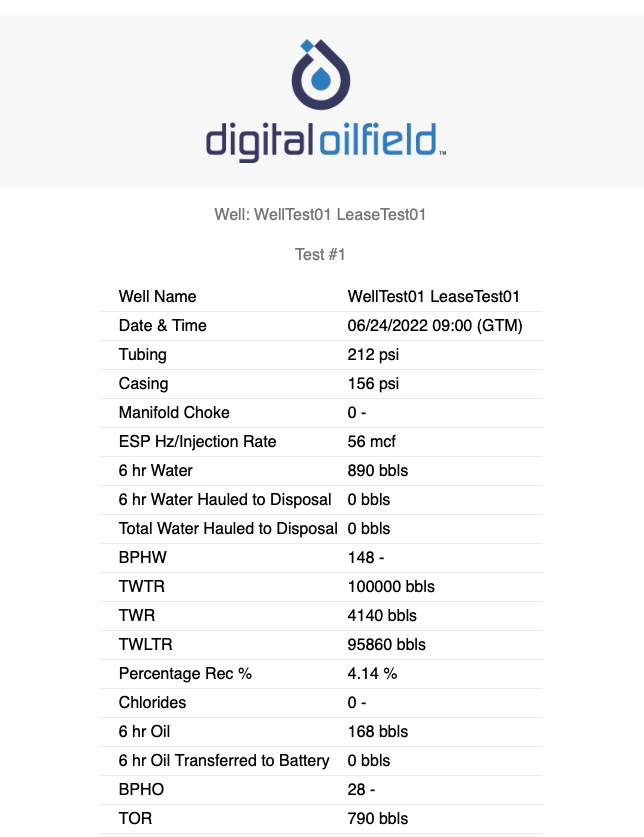
Users can make use of this new feature to send cover sheet information through emails to specific users. Cover Sheet Delivery Cover Sheet Delivery

🔄 Updates

Well Comparison

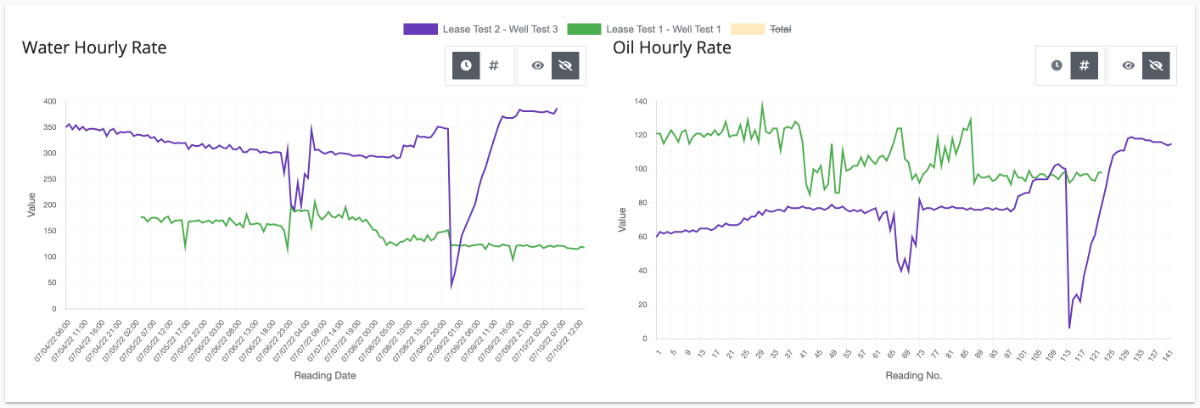
Digital Oilfield helps engineers analyze their data by enhancing analytics. Users can now toggle between Reading Date or Reading Number on the x-axis. Well Comparison

It is also possible to show Total lines by clicking on the legend.

🛠️ Fixes

  • UTC synchronization when editing a reading from the web
  • User profile information: phone number validation when editing
  • Well Comparison: max/min/average lines calculation
  • Notifications: disabled users do not receive alerts

October 2023 Update

More powerful management by exception. We are improving user interactions by streamlining chat experiences. New update enables variable target visuals, comparisons, and alerts.

Preview Features

Preview features are features that aren’t complete but are made available on a ‘preview’ basis so customers can get early access and provide feedback.

🚀 Features

Target Comparison (Preview)

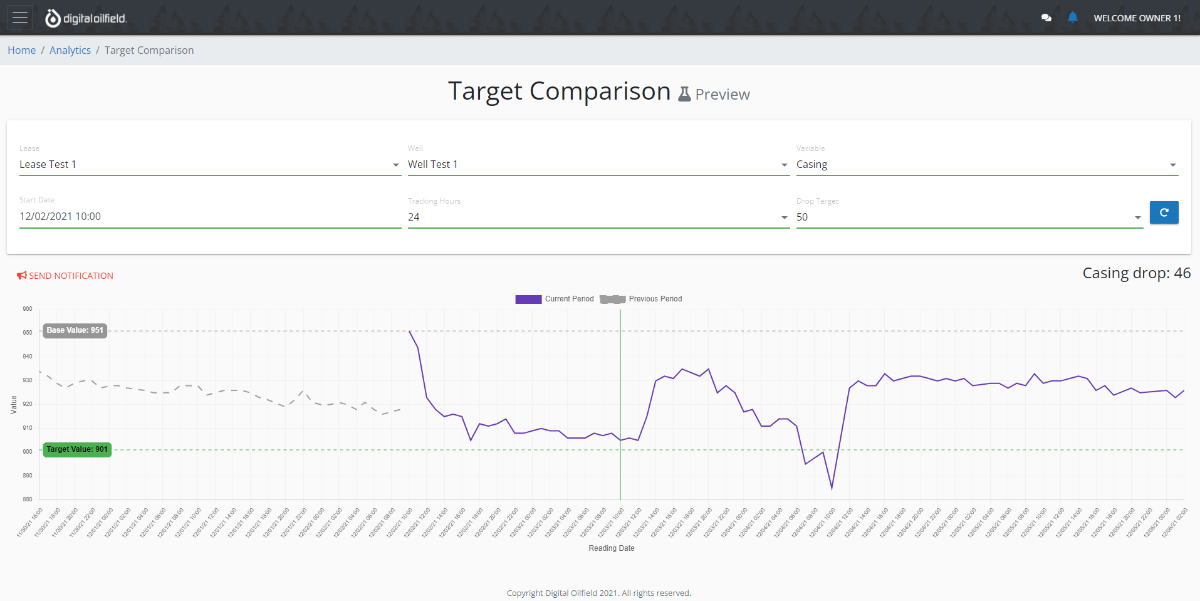
Pre-program your targets and a visual with alerts that will allow you to compare and be notified if targets are not met. Target Comparison

June 2023 Update

This new version allows managers to change the order of the input variables and groups to improve the user experience. We now support formulas!

🚀 Features

Formulas

We now support formulas! The platform allows you to create new formulas based on other variables’ values. Cumulative variables are also supported. Formulas At this moment, only the platform administrator can create formulas. Contact us if you need them.
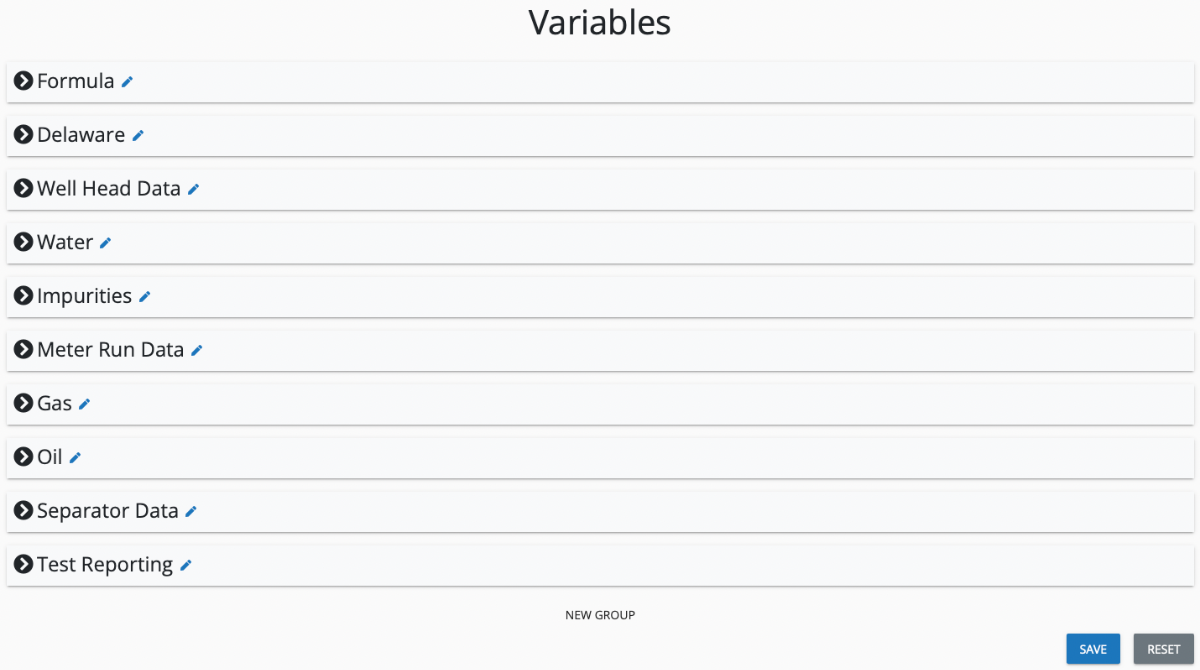
Order of the Input Variables and Groups

You can now drag & drop groups and variables to the desired state to change the order when inputting values. It is also possible to create a new group if needed. Order of Variables

Delete Capabilities

Check out the Profile section. Administrators can define who is capable of deleting readings, wells, and leases.

Constraints:

  • It is not possible to delete wells if there are readings associated.
  • It is not possible to delete leases if there are wells associated.