Alerts
Alerts Configuration
System alerts in Digital Oilfield notify users when certain thresholds are exceeded or specific user-triggered events occur.
| Alert | Scope | Description |
|---|---|---|
| Low/High Value Alert | Variables | Triggered when variable values fall outside predefined ranges during data entry. |
| Lifecycle Alert | Wells | Activates when a well has been operational for a specified number of days. |
| Inactivity Detection Alert | Wells | Notifies when there has been no activity (e.g., no readings) for a set period. |
| Comment Alert | Wells | Triggered whenever a new comment is added in the system. |
Low/High Value Alert
Set the threshold values for variables within the variables editing form, located under the ‘Exception Alert Management’ section. By default, these thresholds apply across all leases.
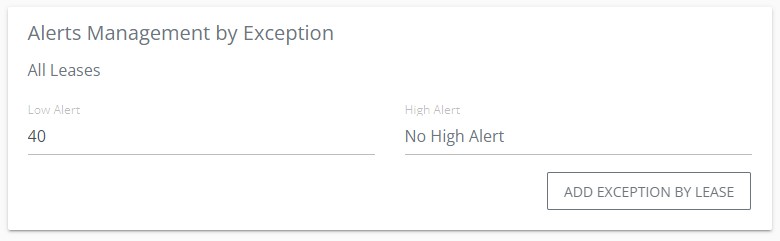
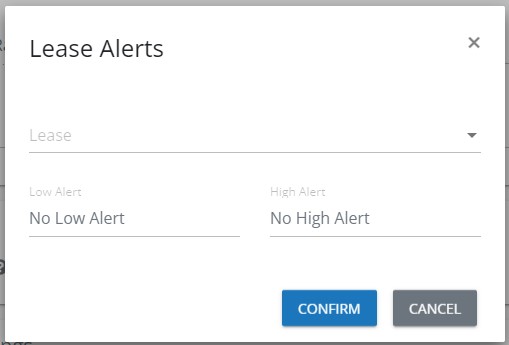
Note: To create exceptions for specific leases, click “Add exception by lease” and configure in the form provided. These lease-specific exceptions override the general settings.
Once added, lease exceptions are listed and can be edited or removed through context menu actions.
Lifecycle Alert
Configure the lifecycle alert within the well editing form under the ‘Advanced settings’ section. Set the duration in days for which the well must be operational before triggering the alert.
Inactivity Detection Alert
Set the inactivity detection alert in the well editing form, also under ‘Advanced settings’. This alert is based on hours of inactivity (i.e., no new readings).
Comment Alert
This alert is activated whenever comments are posted via the Digital Oilfield App. It is designed to facilitate immediate communication without waiting for specific times.